
Why am I seeing this warning?
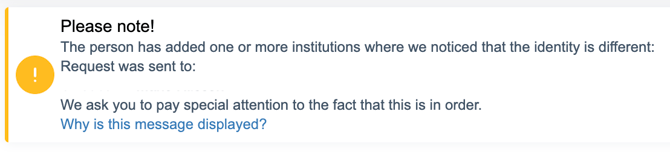
We show this warning when the information provided entered doesn’t fully match the details we receive from the bank.
To keep things secure, we compare:
-
Full name
-
Social Security Number (SSN)
with the information returned by the connected bank account.
What kind of mismatches can trigger this?
There are two main reasons:
1. Name mismatch
The name entered in the application doesn’t exactly match the account holder’s name at the bank.
This can happen due to:
-
Spelling differences
-
Missing or extra middle names
-
Using a nickname instead of legal name
2. SSN mismatch
The SSN provided doesn’t match the SSN associated with the connected bank account.
Common situations where this happens
-
The applicant entered someone else’s SSN, but connected their own bank account
-
The applicant connected someone else’s bank account
-
A proxy or agent connected their bank account instead of the applicant’s
-
Small name differences, like middle names being included or left out
-
The name field was left blank in the request
What should I do?
-
Make sure the name and SSN entered belong to the same person
-
Check that the bank account is owned by the applicant
If everything looks correct and the warning still appears, please contact support@kreditz.com for help.