Statistics Overview
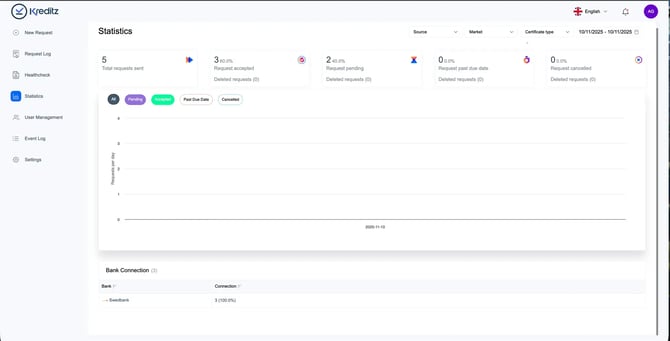
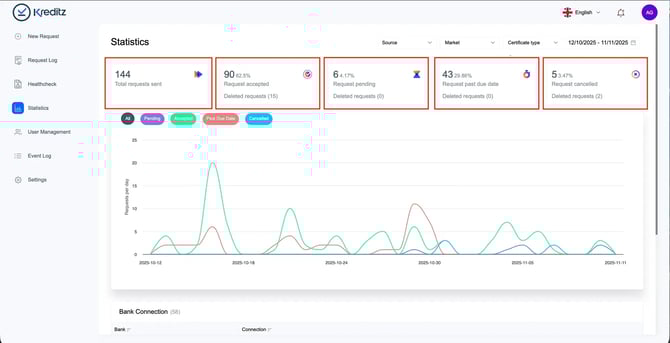
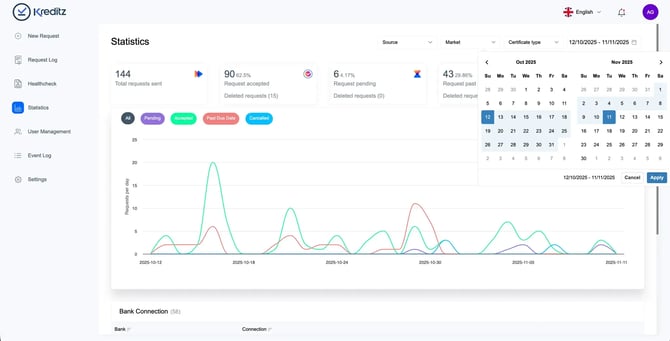
The statistics graph gives you a visual overview of all requests within the selected date range. For the chosen period, you’ll see the following metrics:
-
Total Sent Requests – The total number of requests that have been sent.
-
Requests Accepted – The number of requests that have been accepted.
You can also see how many of these accepted requests were later deleted by Vista users. -
Requests Pending – The number of requests still awaiting action from the end user (i.e., the user has not yet connected to their bank).
-
Requests Past Due Date – The number of expired requests. If an end user clicks an expired link, they can no longer proceed with bank connection.
-
Cancelled Requests – The number of requests cancelled by Vista users.
Once cancelled, the link leads the end user to an expired page, and no bank connection can be made.
This overview helps you track progress, identify trends, and understand how end users interact with your requests.
💡 Tip: Hover over the line in the graph to see more details for specific dates.
Statistics – Filters and Date Range
You can refine the displayed statistics by applying additional filters.
Source Filter
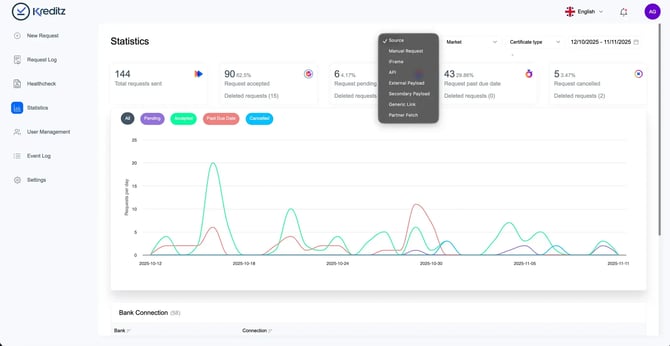
Use the Source filter to view requests based on how they were created:
-
Manual Requests – Requests sent directly from the New Request section in Vista.
-
Iframe – Requests initiated through the embedded iFrame.
-
API – Requests created via the API.
-
External Payload – Requests sent from another provider, where the client delivers bank data to Kreditz for categorization.
-
Secondary Payload – Not in use; scheduled for deprecation.
-
Generic Link – Requests created from website-based iFrames. No longer used and likely to be deprecated.
-
Partner Fetch – Requests where clients fetch accepted requests from a partner’s account in a linked partnership setup.
Markets
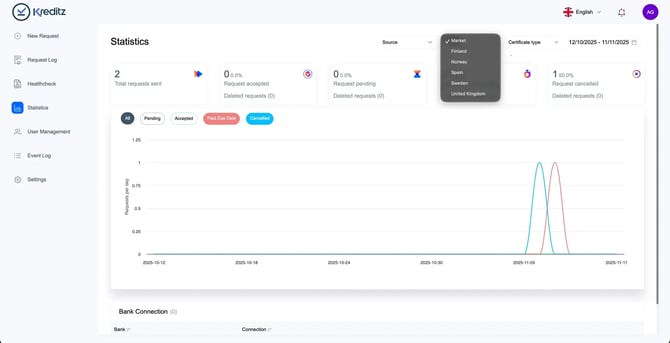
Filter your statistics based on the markets available in your account.
💡 This is especially useful if you operate in multiple markets and need insight into activity per market.
Date Range
By default, the date range is set to the last 30 days.
You can adjust the range at any time to focus on a specific period you’d like to review.
Bank Connections
The Bank Connections view shows which banks were connected for Accepted requests.
Only accepted requests are included in this breakdown, and the results follow the selected date range.
🔍 Example:
If you have 3 Accepted Requests within the chosen period, and all three users connected through Swedbank, only Swedbank will appear in the connected bank list.