How to Export Transactions (CSV or XLS)
Follow these steps to export transactions from a certificate:
-
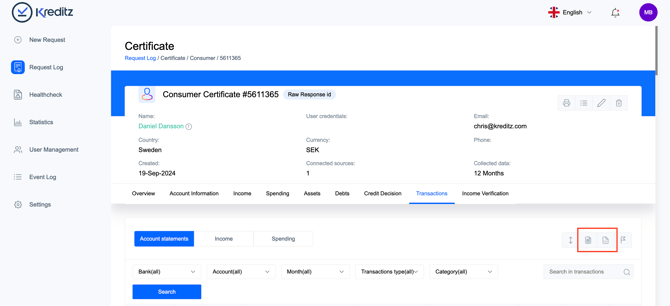
Navigate to the certificate
Open the certificate containing the transactions you want to export. -
Go to the Transactions tab
Select the Transactions tab within the certificate. -
Choose export format
In the right-hand menu, select Download XLS or Download CSV, depending on your preferred format. -
Download complete
The transactions file will be downloaded to your device.