
How to Download a Certificate Report (PDF)
Follow these steps to download a PDF report of a certificate:
-
Navigate to the certificate
Open the certificate you want to download. -
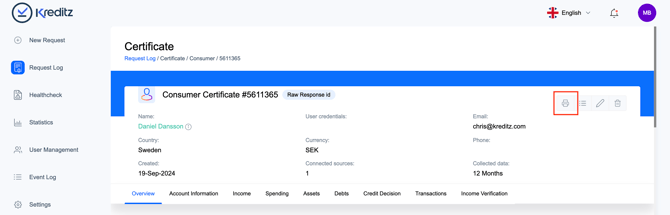
Locate the certificate header
In the top right corner of the certificate view, you’ll find the available actions. -
Click “Download PDF”
Select Download PDF from the menu. -
View the report
The PDF report will open in a new window, where you can view, download, or print it.
💡 Want to download the transactions in a CSV or XLS file? See How do I export transactions?.