
In Kreditz Vista, a certificate is a compiled financial report created from a applicant's bank transaction data. After the applicant connects their bank accounts and provides consent, Kreditz retrieves, categorizes, and analyzes the data.
The analyzed results are presented as a certificate containing key insights into the applicant's:
-
Income
-
Spending
-
Assets
-
Debts
-
Credit decision
-
Transactions
At the top of the certificate view, you’ll find navigation tabs, allowing you to explore each area in detail.
Each tab displays graphs and calculated figures based on bank transaction data, categorized by Kreditz’s categorization engine.
You can view detailed information about individual transactions in the Transactions tab (see the Transactions).
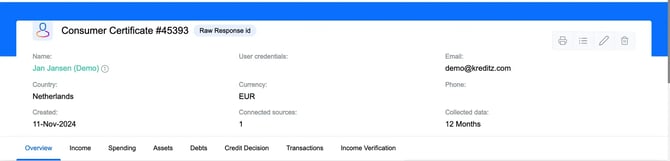
Certificate Overview
The Overview tab provides a high-level summary of the applicant. It shows key information about the data sources, such as which bank(s) were connected, and offers initial insights into primary income, spending, assets, and debts.
For a deeper analysis, each category has its own dedicated tab.
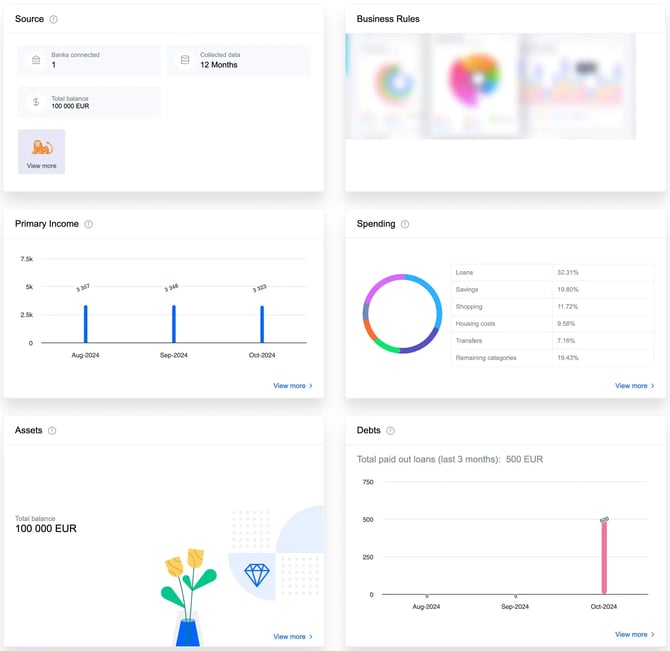
Income
The Income tab provides calculated insights based on income transactions and their relation to spending, such as cashflow, income ratio, and salary burn rate.
It includes details such as primary and secondary income. The Sources of Income section explains which transactions fall into these categories.
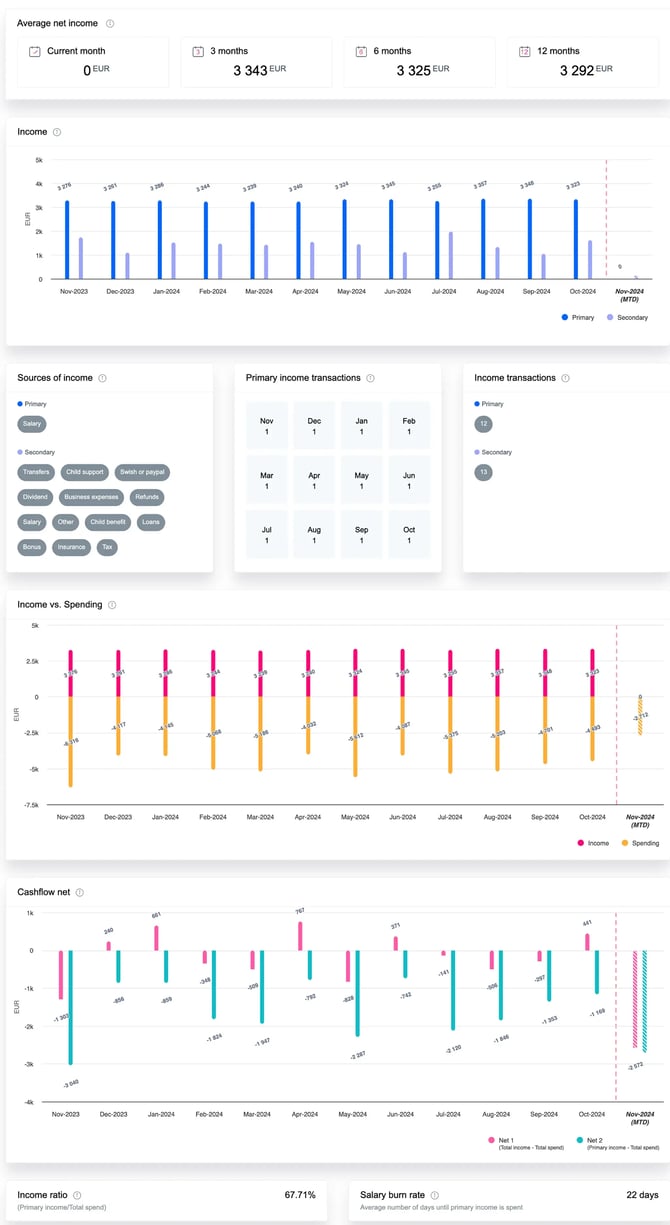
❗ Keep in mind that these settings can be customized, so the example in the image may look different from your setup.
Spending
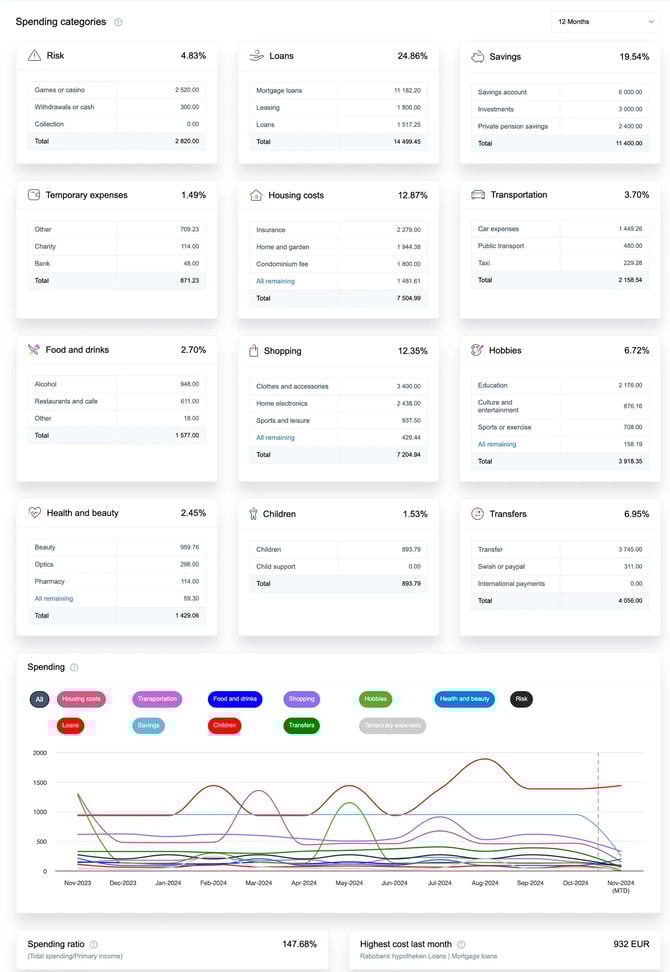
The Spending tab displays the distribution of spending across main categories, along with subcategory details for each.
You can also view spending over time, the spending ratio, and the highest cost from the last month.
Assets
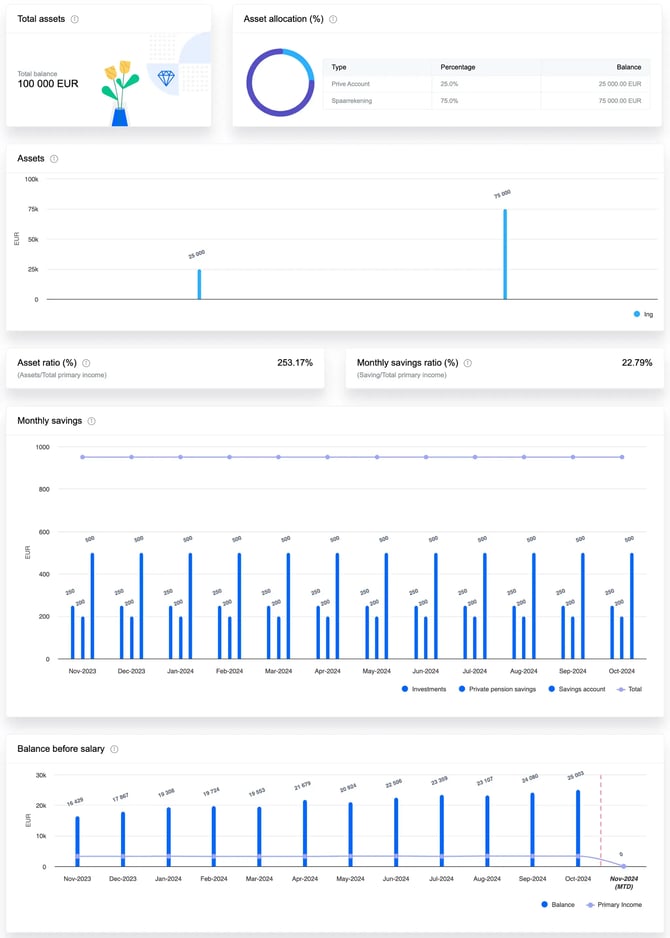
The Assets tab provides an overview of the applicant’s assets and savings.
Here you can see the total balance of all connected accounts, how assets are spread across different account types, and additional insights like the savings ratio, monthly savings, and how assets compare to primary income.
Debts
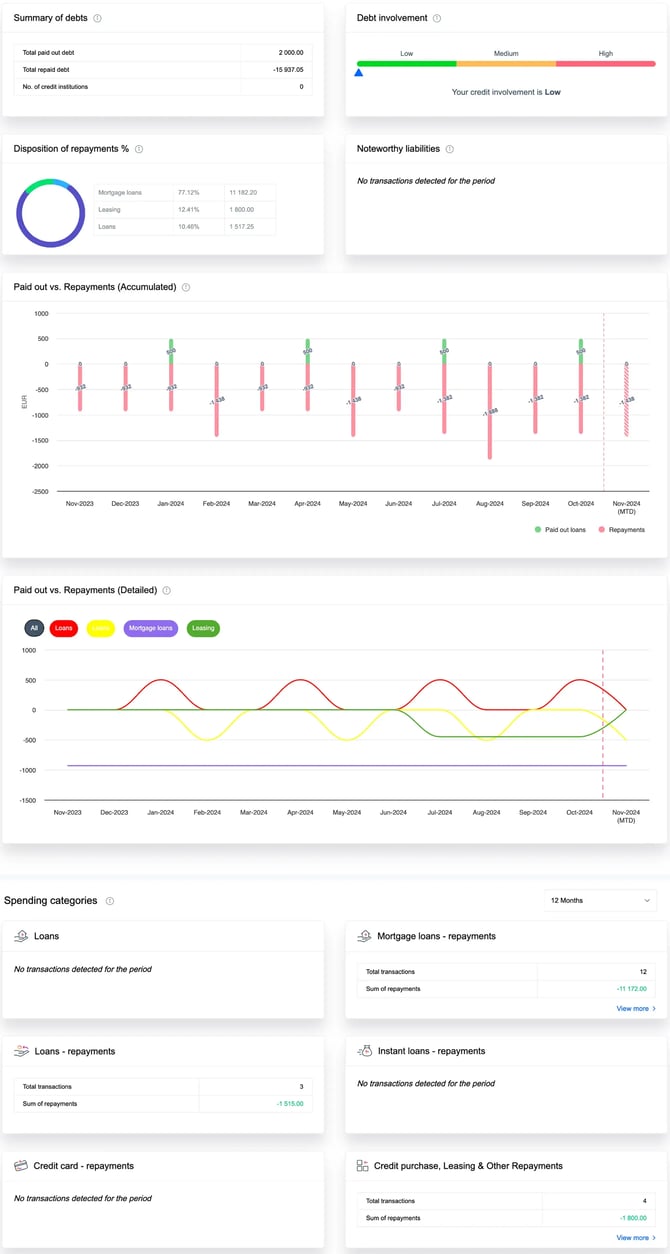
The Debts tab summarizes the applicant’s debt involvement, including paid-out loans, repayments, repayment distribution, and the categories assigned to each debt.
Credit Decision (Kreditz Alta)
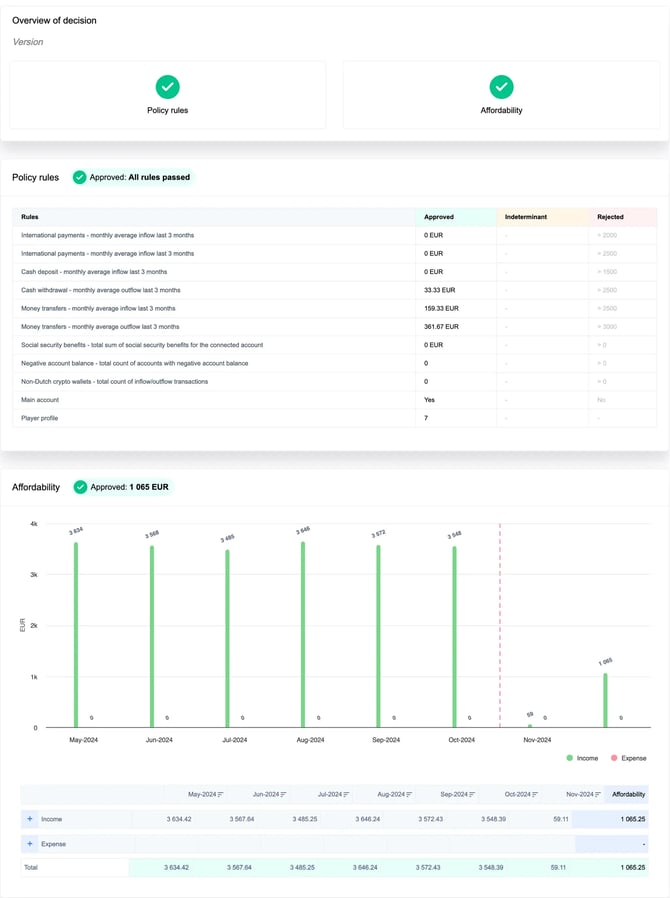
The Credit Decision tab shows the outcome of the decision framework tailored to your business needs. The Overview of decision highlights two key components - policy rules and affordability - which together determine the final result.
-
Policy rules are predefined checks based on calculated metrics. Each rule must pass for the policy rules component to be approved.
-
Affordability estimates the applicant’s disposable income using selected transaction categories and can be approved, rejected, or indeterminate depending on thresholds.
The overall decision is based on the combined results of these two components.
Transactions
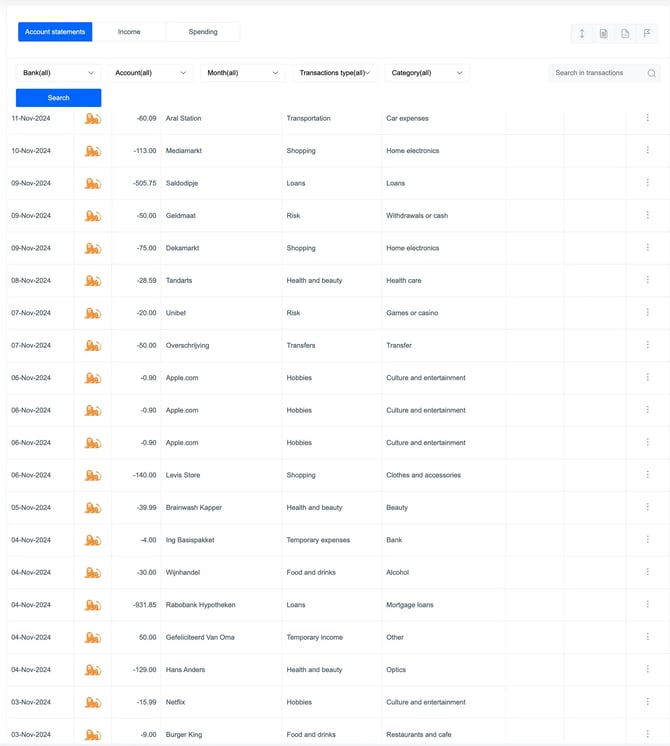
In the Transactions tab, you’ll find detailed information for each individual transaction, including its assigned main category and subcategory.
If needed, you can adjust a transaction’s category manually by clicking the three-dot (…) menu, in the Actions column.
You can also download the transactions as XLS or CSV file.
❗ Please note that not all of these tabs may be active. For more information, contact support@kreditz.com or your dedicated Customer Success Manager.